Friends are here.
Friend mode, shared habits, friend profiles and major improvements
 Posted by Eric @reysu
You can now add friends, give them the key to your blocks, ask them
to check your habits, and create joint habits with them.
This was a massive update with major new features, quality of life
improvements, as well as a ton of bug fixes. iOS is getting the update
first with Android later in the week.
Friends
One of the best ways to stay consistent with your habits and routines
is to have an accountability partner, and that’s finally possible with
Habits First. Once you update, you’ll find a new tab in Habits First:
friends.
After you add your first friend, there are a few neat ways you can keep
each other accountable.
Ask a friend to hold a block.
You can ask a friend to lock your routine remotely. Simply tap the lock icon, select your friend, and they will get an invitation to hold your block.
Once they accept, you can now ask your friend for two things:
- Ask for a break. Your friend picks how long, from a minute up to a week. When they say yes, tap the green button on your block to start it. Your apps stay open for that long, and your edits stay locked.
- Ask to unlock. This removes the lock entirely so you can make changes to the block.
Ask a friend to verify if you did a habit
Some habits your phone can’t see, like reading a book or cleaning your room. For those there’s a new condition: Ask a friend to verify. Add it to a block, pick a friend, and when you’ve done the habit, tap the x on the row. Your friend gets a notification to verify your habit, and they check off your habit for you.
Shared habits
A shared habit sits on your block and your friends’ blocks at the same time. You can select this as a new condition. With shared habits, there are two options:
1. Everyone has to do it. This type of habit only gets checked off once everyone finishes the task. Great for things like going to the gym or doing a training program together.
2. Only one person has to do it. Whoever does it first completes it for everyone. Perfect for things like household chores.
Friend profiles
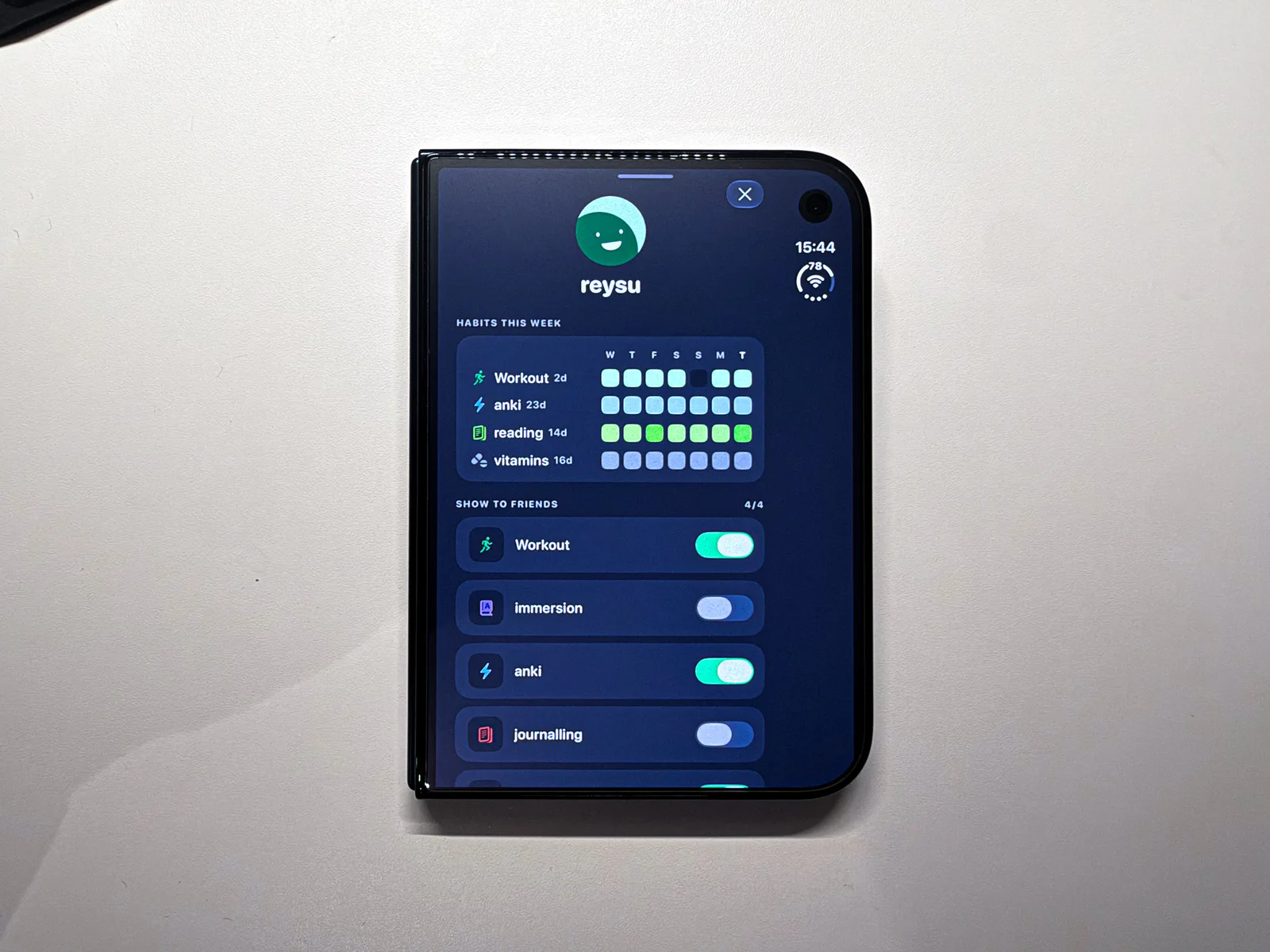
Tap a friend to see their profile. You can share up to 4 habits with your friends.
To get notified when your friend finishes one of their public habits, hold on the widget on their profile and turn on notifications.
Habit goals Habits Pro
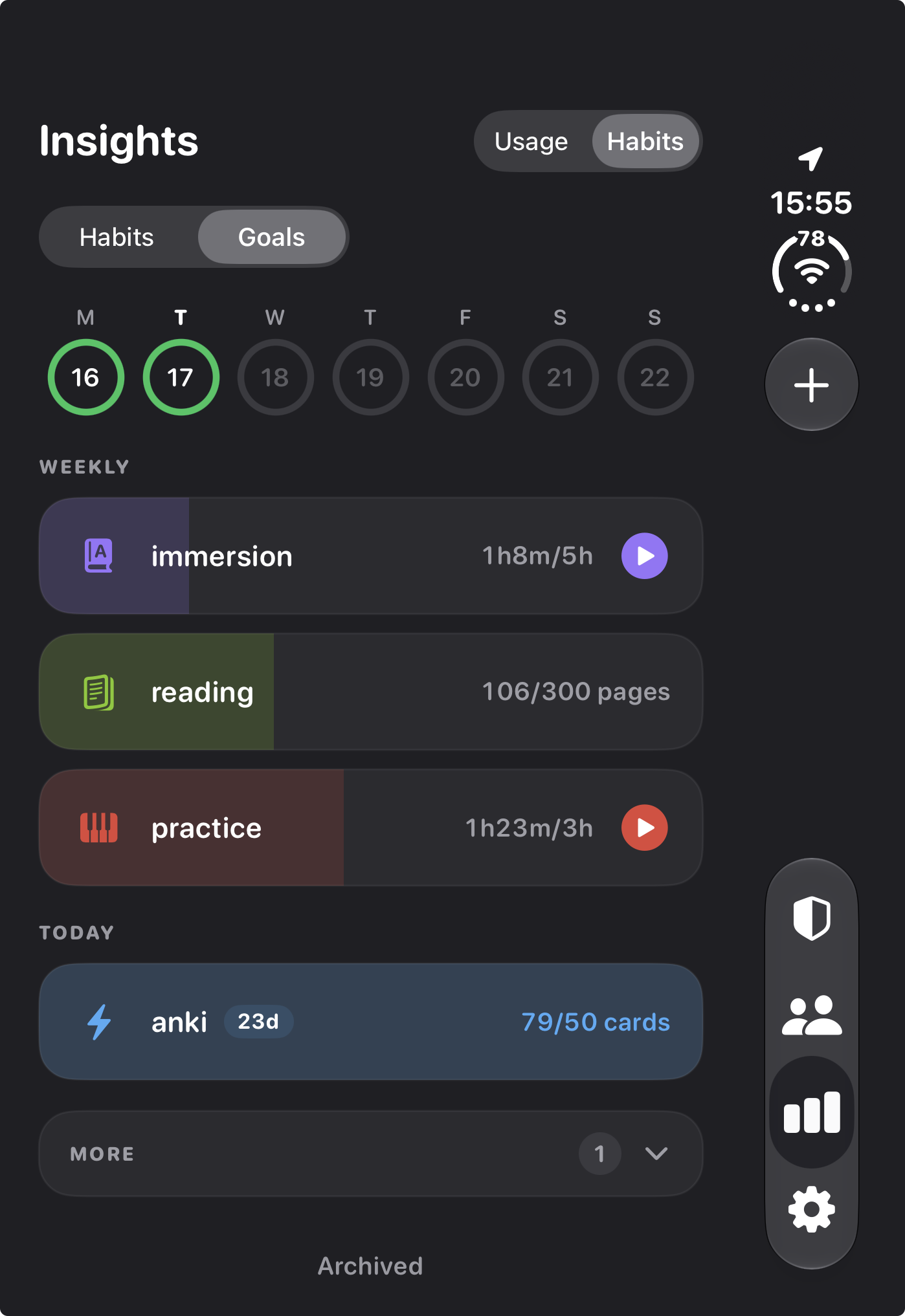
There is now a new view for Habit Insights, called Goals. You can set daily and weekly goals for any habits and see your progress at a glance.
Quality of life improvements
1. Block icons: You can now customize your routines with a custom emoji.
2. New Onboarding: We’ve redesigned the entire onboarding process to make it simpler and more seamless for new users.
3. Workout types: You can now customize workout types further and select specific types of workouts, such as running.
Bug fixes & improvements
lots of bug fixes - a somewhat comprehensive list
Locks and unlocking
- The padlock opens a new lock sheet: password, ask a friend, 1 week, 1 month, or a custom length from an hour to a year
- A block set to need every condition still needs every one after you add more conditions
- A timed lock no longer looks stuck after it ends, and no longer asks for a password nobody set
- An NFC tag block with an unlock length now locks again when the time is up, instead of staying open all day
- “Lock it back now” ends the day’s allowance instead of giving you a fresh one
- Saving a block no longer undoes an unlock that came in while the editor was open
App time and syncing
- App time adds up across the whole day and across your devices, instead of starting over when a block’s hours begin
- App time used on one device is no longer wiped to 0 when another device resets later
- Fixed one cause of App time jumping to 540 or 720 minutes and then stopping for the day
- An App time row with no apps picked on this device now says so, instead of showing 0
- A source another device already read today no longer shows as failed
The App time fixes need the update on every device that counts App time.
Timers
- A timer that finished on an earlier day no longer stays frozen and blocks a new one
- A timer ended on another device now stops on this one too
- Ending a timer in its last second counts as finished
- Each timer spends from its own pool
- The screen stays on during a focus run
Blocking and websites
- No more shield left over the home screen after leaving a blocked app
- Website blocking reads the address bar in IronFox, Mull, Iceraven and Tor Browser
- A blocked website is covered as soon as website blocking reconnects
- A block on an installed web app now covers it inside Chrome
- Prevent app deletion turns on right away
- Fixed a crash at launch on Android 9, and a crash when closing the block screen
Health, habits and Insights
- The first Insights page is now called Usage
- The Usage report no longer stays blank, sits too low, or redraws on every rotation
- The pull-to-refresh spinner no longer gets stuck
- The year heatmap is no longer blank on a Japanese or Buddhist calendar
- A place condition no longer shows a tick while its apps are still locked
- Text no longer gets cut off in several places on smaller phones in other languages
- Today’s steps match Samsung Health, and steps typed in by hand no longer count
- Insights > Usage has a week view with bars for the last 7 days
- Vacation mode can pause only the blocks you choose
- Free users can rename and archive their manual habits
- Duolingo XP earned late at night stays on the right day, and KOReader keeps syncing
Thank you to everyone who sent in bug reports.
If you find the app useful, please consider rating it!